
Introducing BUX
Today we're shipping Browser Use Box (BUX). A 24/7 remote VM with Claude Code and Browser Harness pre-installed, controlled from Telegram, the web, or SSH.

How we got here
Everyone at Browser Use is obsessed with the combination of Claude Code and Browser Harness. However, we wanted the experience to be as seamless as possible.
Now with BUX you can access this combination from your phone 24/7.
What we use it for
It can complete tasks in complicated dashboards like Microsoft Azure and Google Workspace that browser agents historically struggled with.
From the gym, in an Uber, walking somewhere, we throw any task at it:
"deploy PR #235 to staging and test the new flow"
"book the earliest flight Zurich to SF next Wednesday"
"take a picture of our granola, order this on Amazon"
We are yet to find a work-related or everyday-web task that BUX can't do.
How it works
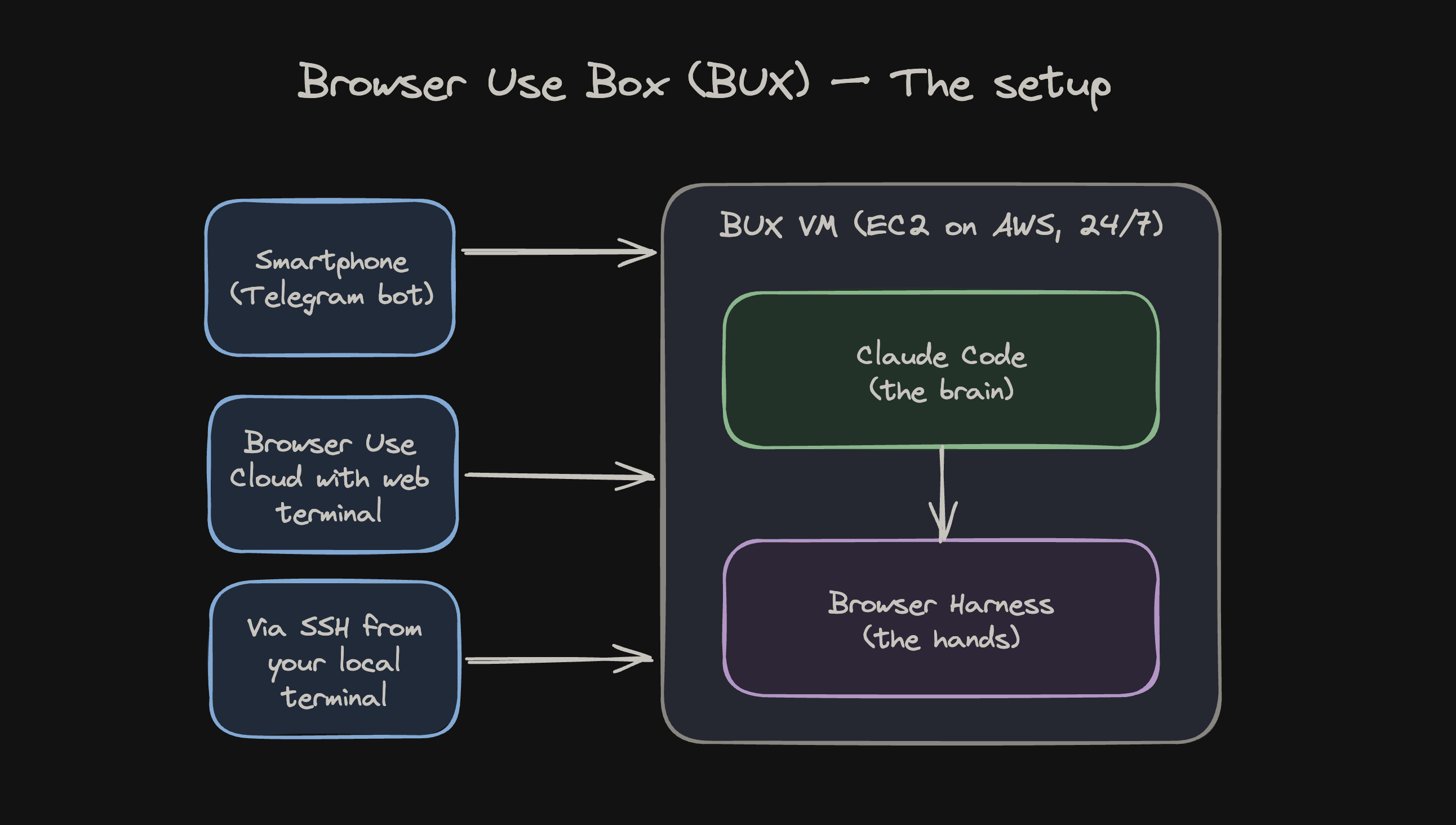
Spin-up takes 30-60 seconds from a pre-baked AMI with Claude Code and Browser Harness pre-installed. Login to Claude, set up your Telegram, and you've got a 24/7 personal agent.
The VM runs under a locked-down IAM role with zero AWS permissions. It can't touch your infra or ours.
Telegram talks to one resumed Claude Code session, so context persists. Browser sessions rotate every 240 minutes.
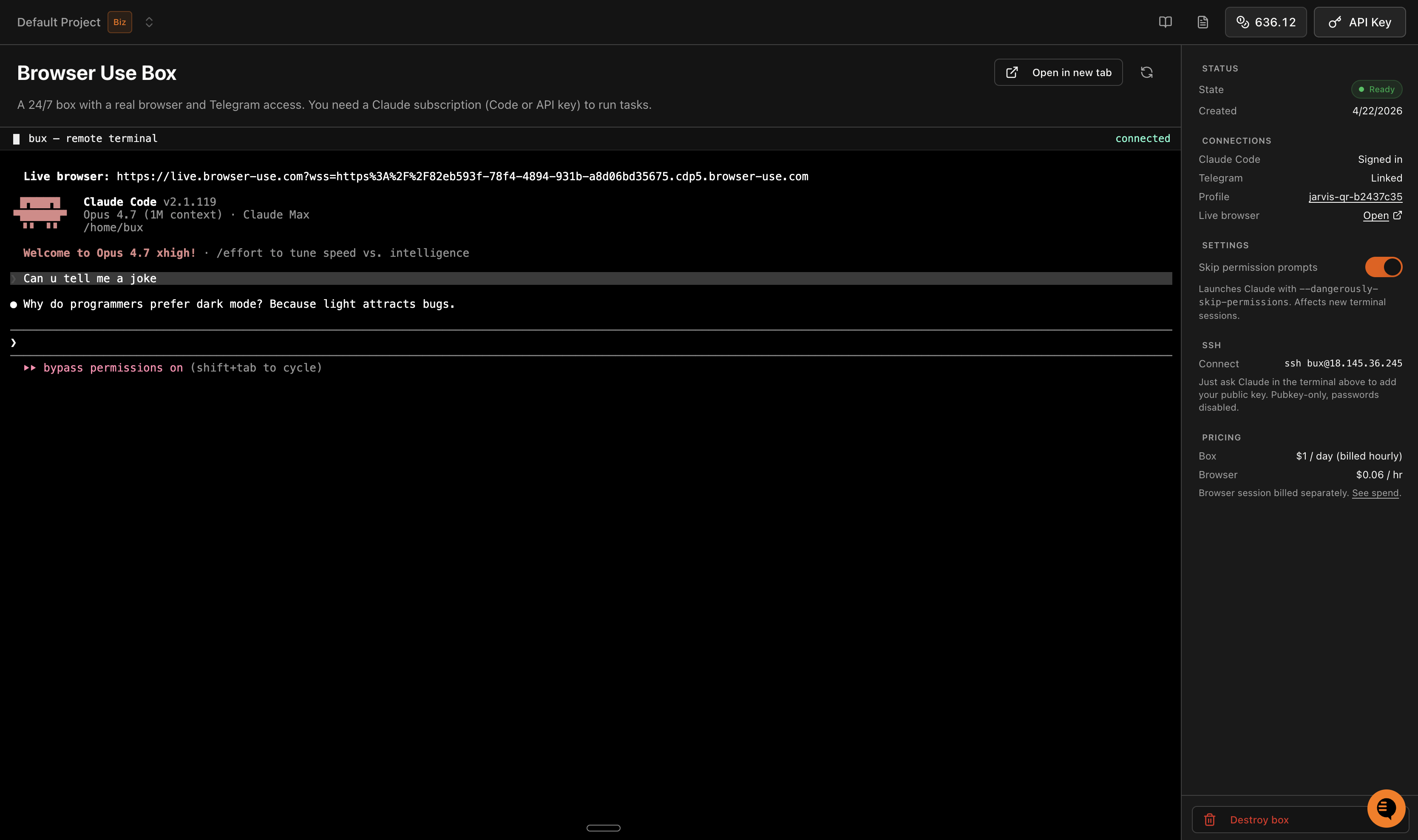
On cloud.browser-use.com/bux you can access your VM directly through a browser terminal. And SSH in locally. The architecture is open source. See the bux repo if you're curious, or you'd like to host it yourself.
Setup (under 5 min)
- Go to cloud.browser-use.com/bux and start your VM.
- Log in to Claude Code in the web terminal.
- Create a Telegram bot via @BotFather and paste the token. It stays in your box.
Giving it access
BUX is only as useful as the accounts it can reach. Use Browser Use Profiles to sync your local Chrome cookies or build new ones by hand.
When the agent hits a login wall, it sends you a live URL from the remote browser. You sign in, it picks up where it left off, and saves the cookies for next time.
Want it set up for a team?
For teams that already run sales, support, partner onboarding, or operations in Telegram, we are testing a managed BUX pilot: one scoped private operator workflow, launched in 7 days, with weekly tuning and human handoff for $1,000/month.
See the managed pilot page or the demo transcript.
Try it
Head to cloud.browser-use.com/bux. All you need to get started is a Browser Use account and Claude Code.