

2FA codes, handled by the agent.
Authenticator codes from the secret, emailed codes from an inbox the run owns, SMS forwarded to that inbox, or 1Password typing the field. Then a saved profile so the site stops asking.
- ways the agent gets a code without a person
- 4
- login, then profiles reuse it
- 1
- passwords and TOTP with secret bindings; the model sees aliases
- Server-typed
Four ways to get the code.
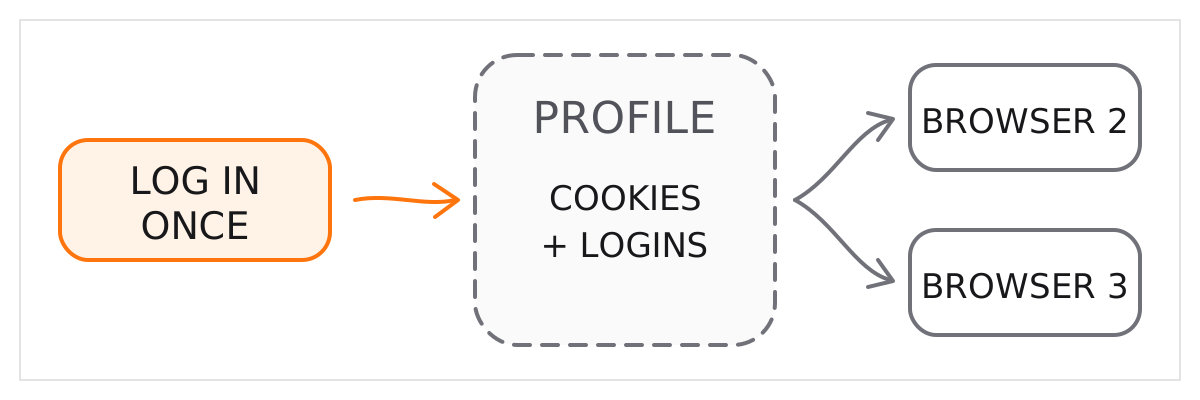
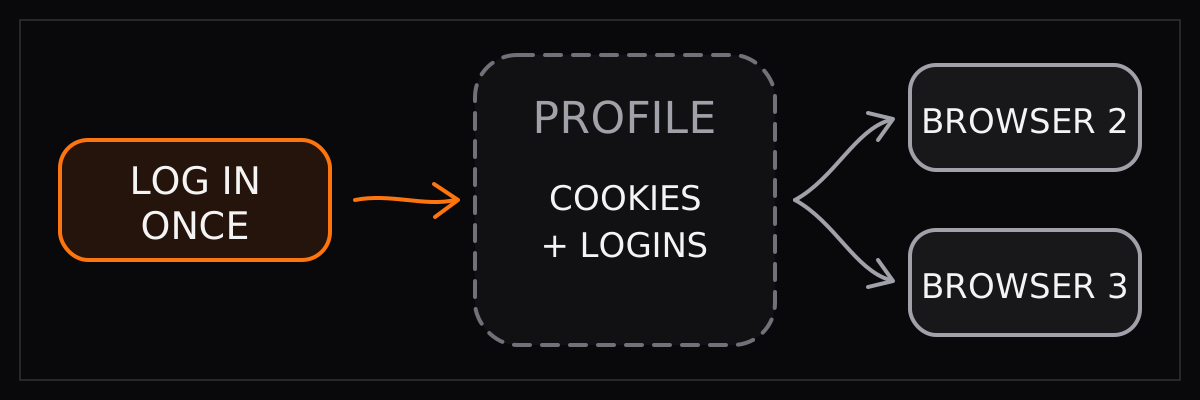
Log in once. Save the profile.
Which method fits which site
- Authenticator app
- sensitive_data placeholder ending in bu_2fa_code with the TOTP secret. Or the TOTP field of a 1Password item.
- Emailed code
- agentmail: true on the run. The agent owns an inbox and reads the code. Open source: AgentMail tools or the Gmail integration.
- SMS code
- Forward texts to an inbox (carrier, Google Voice, Twilio to email), then treat it as an emailed code.
- Password manager
- opVaultId and opVaultAllowedDomains, or per-field secretBindings. Server-typed, model sees aliases.
- Already logged in
- profileId on runs and browsers. curl -fsSL https://browser-use.com/profile.sh | sh syncs your Chrome's cookies into one.
- Price
- Agent runs bill model tokens plus browser time at $0.02 per hour; standalone browsers $0.02 per hour, residential proxy $5/GB.
- Keep it contained
- allowed_domains and prohibited_domains limit navigation. use_vision=False keeps screenshots of sensitive pages away from the model.
Questions people ask
Which kind of 2FA can the agent do by itself?
Authenticator-app codes, from the TOTP secret. Emailed codes, from an inbox the run owns or from Gmail. SMS codes, once the number forwards to an inbox. Codes stored in 1Password. The only kind that needs a person is a push notification to someone else's phone.
How does the TOTP part work?
When you set up 2FA a site shows a secret key under 'can't scan the QR code'. Give that secret to the agent as a sensitive_data value whose name ends in bu_2fa_code. When the agent types the placeholder, a fresh six-digit code is generated. The model never sees the secret.
How does the email part work?
Set agentmail to true on a V4 run and the run gets a persistent inbox from AgentMail. The address is in the agent's context, so it can sign up with it, wait for the verification email, and read the code. The open-source library does the same through AgentMail tools or the built-in Gmail integration.
And SMS?
Forward the number's texts to an inbox the agent can read: carrier forwarding, Google Voice, or a Twilio number that emails you. From there it is an emailed code.
Do I have to do this on every run?
No. Save a profile after the first login and pass its id. Cookies and login state persist, so the site does not ask again while they are valid. You can also sync cookies from your own Chrome into a profile.
Does the model see my password?
With secret bindings or 1Password, the server types the value and the model works with an alias; the raw value never sits in the task text. Once typed it is on the page like any input, so keep bindings scoped to the hosts that need them. Browser Use does not store browser passwords.
When would a person still be needed?
Push-approval 2FA on a phone you do not control, or a bank that insists on a human. A run can pause at that step and hand the live view to someone; the session continues after.